
Turn feedback into accountable follow-up.
Collect NPS and CSAT inside Perfex, work recovery cases, and publish approved testimonials.
01Start with one feedback cycle
Install the module in a staging CRM, configure delivery, create a manual campaign and send an invitation to a contact you control. Submit an answer, assign its recovery case and confirm the recorded history before enabling event campaigns.
02What the module does
- NPS (0–10) and CSAT (1–5) surveys from CRM events, recurring campaigns or manual selection.
- Signed expiring customer links, frequency controls, sending windows and unsubscribe handling.
- Internal recovery cases with ownership, priority, next-action deadlines and history.
- Calendar reporting, consent-based testimonials and optional staff-approved AI drafts.
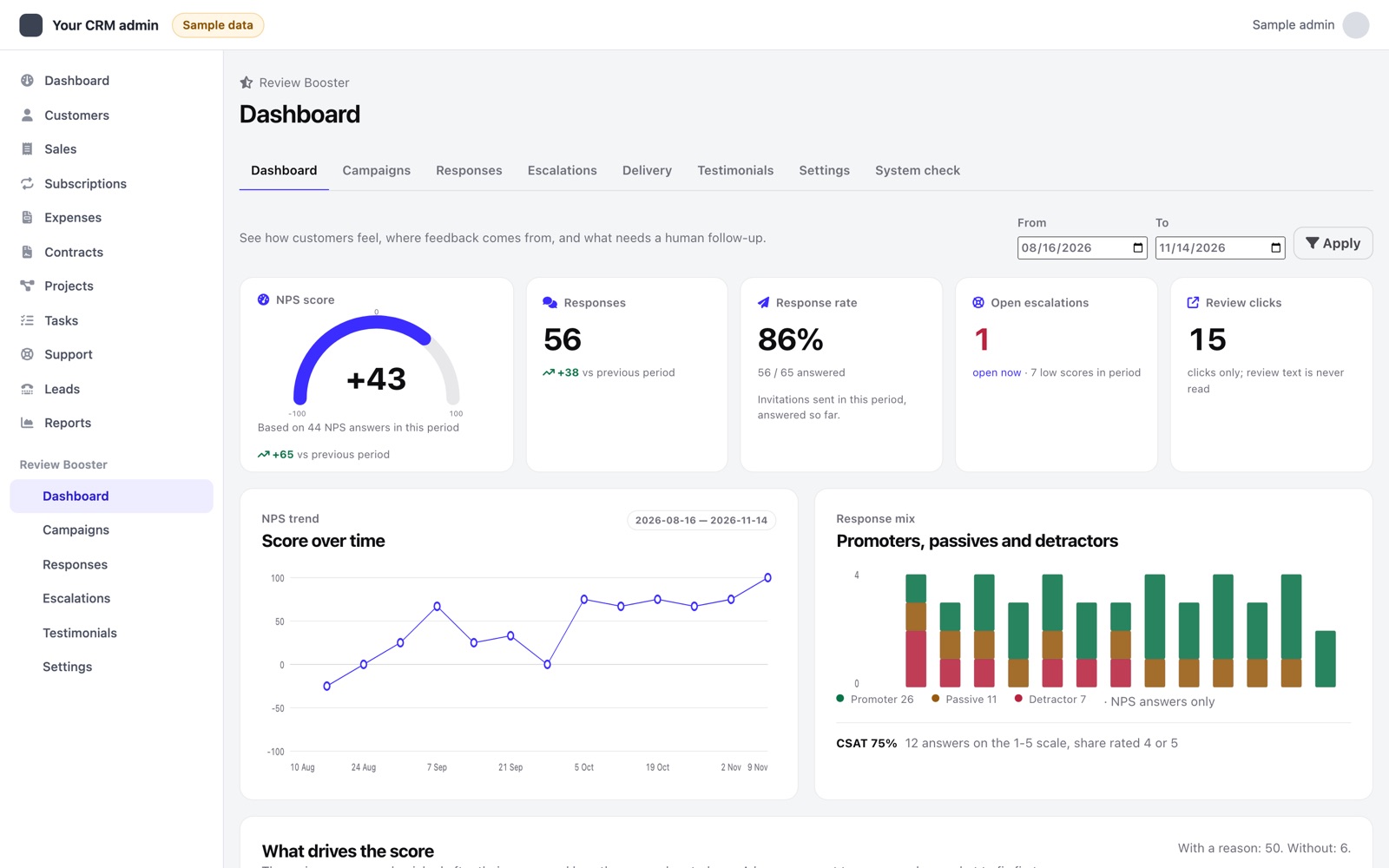
- What drives the score: the main reason each respondent picks after the score, with the NPS or satisfaction of the people who picked it.
- Ready campaigns for finished projects, closed tickets, paid invoices, signed contracts and a quarterly check, each with its own texts, timing and reasons.
- A System check page, a Send me a test button in every campaign, a monthly report e-mail, a CSV export and a widget on the Perfex dashboard.
Every respondent sees the same public review invitation, regardless of score. Low scores may also trigger private recovery work. The module does not post reviews or verify whether a customer published one.
03How it works
Review Booster runs inside your Perfex. A CRM event or a manual send starts an invitation, and the answer decides what happens next. The review invitation is the same for every score; a low score adds private follow-up work.
04Compatibility and testing
Version 1.0.0 is built for Perfex CRM 3.2 or later with PHP 8.1 or newer, MySQL or MariaDB. Before release the module passed its suite of 193 automated tests on SQLite and again on MariaDB 13 in strict mode (a few of them apply to one database only), install, re-activation, upgrade and uninstall on MariaDB, 36 HTTP checks through its own controllers (permissions, CSRF, signed links, scope), 156 screen checks at desktop and phone width in light and dark, and a performance run with 50,000 answers (dashboard queries under 0.25 s, full CSV export in under half a second).
As with any module, run the staging walkthrough with your Perfex version, custom statuses, mail configuration and other extensions before production use. The System check page shows what still needs attention.